Getting started
- Create an account with your email address.
- Set up your troop. Enter your troop number, pick your bakery and add your scouts. You can add more scouts later.
- Invite your co-leaders from Settings, under Invites.
- Receive your cookies. On the Inventory page, enter the cases you picked up.
Cookie Mom is free, and you don't need a credit card.
Inventory
The Inventory page shows how many cases and boxes of each cookie you have. The count changes on its own when cookies go out to a booth or a family, and when unsold boxes come back.
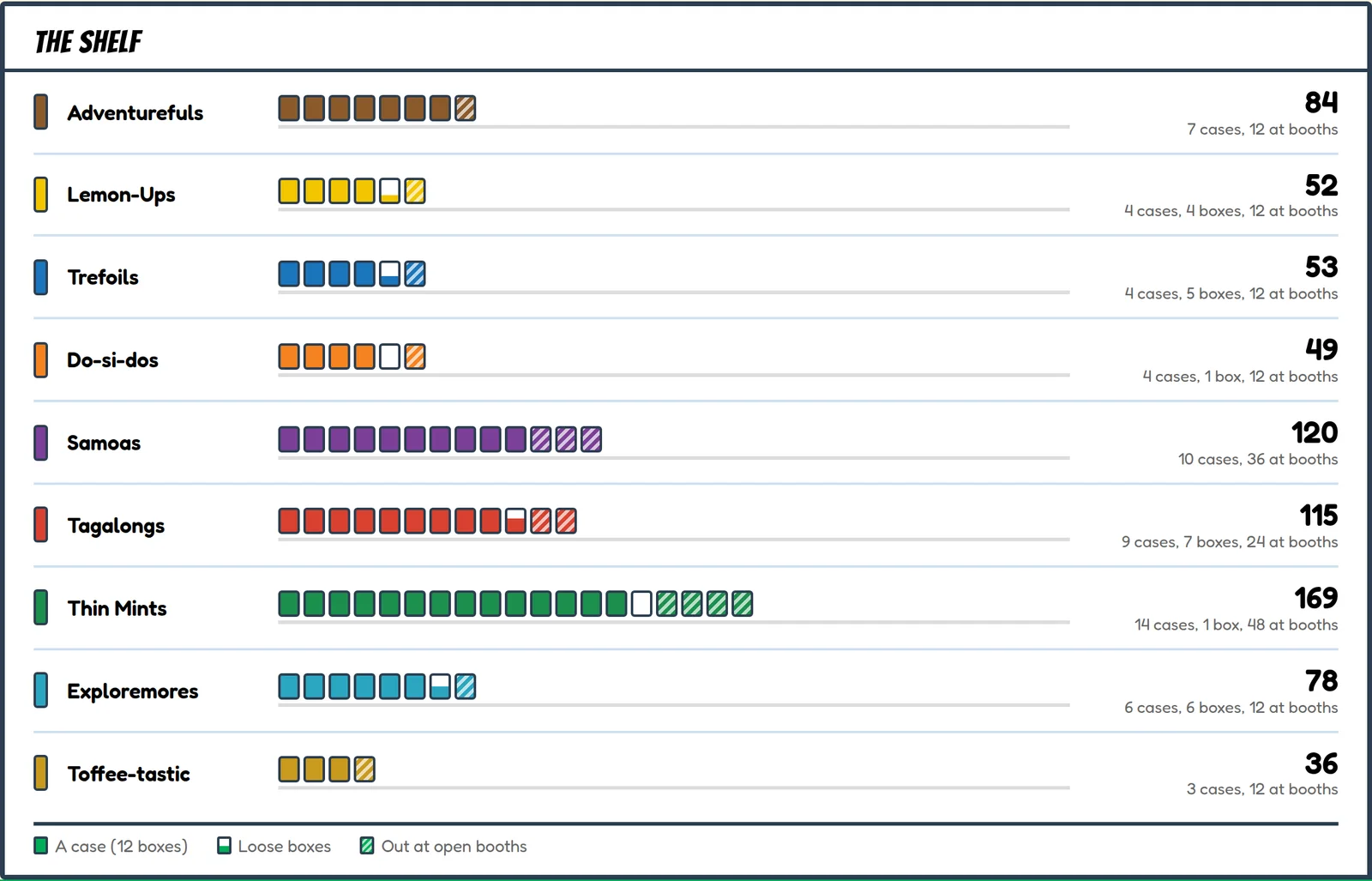
Use Receive cookies when you pick up more, and Transfer cookies when you send some to another troop. If the count ever looks wrong, Reconcile inventory works it out again from your history and shows you what it would change.
Booths
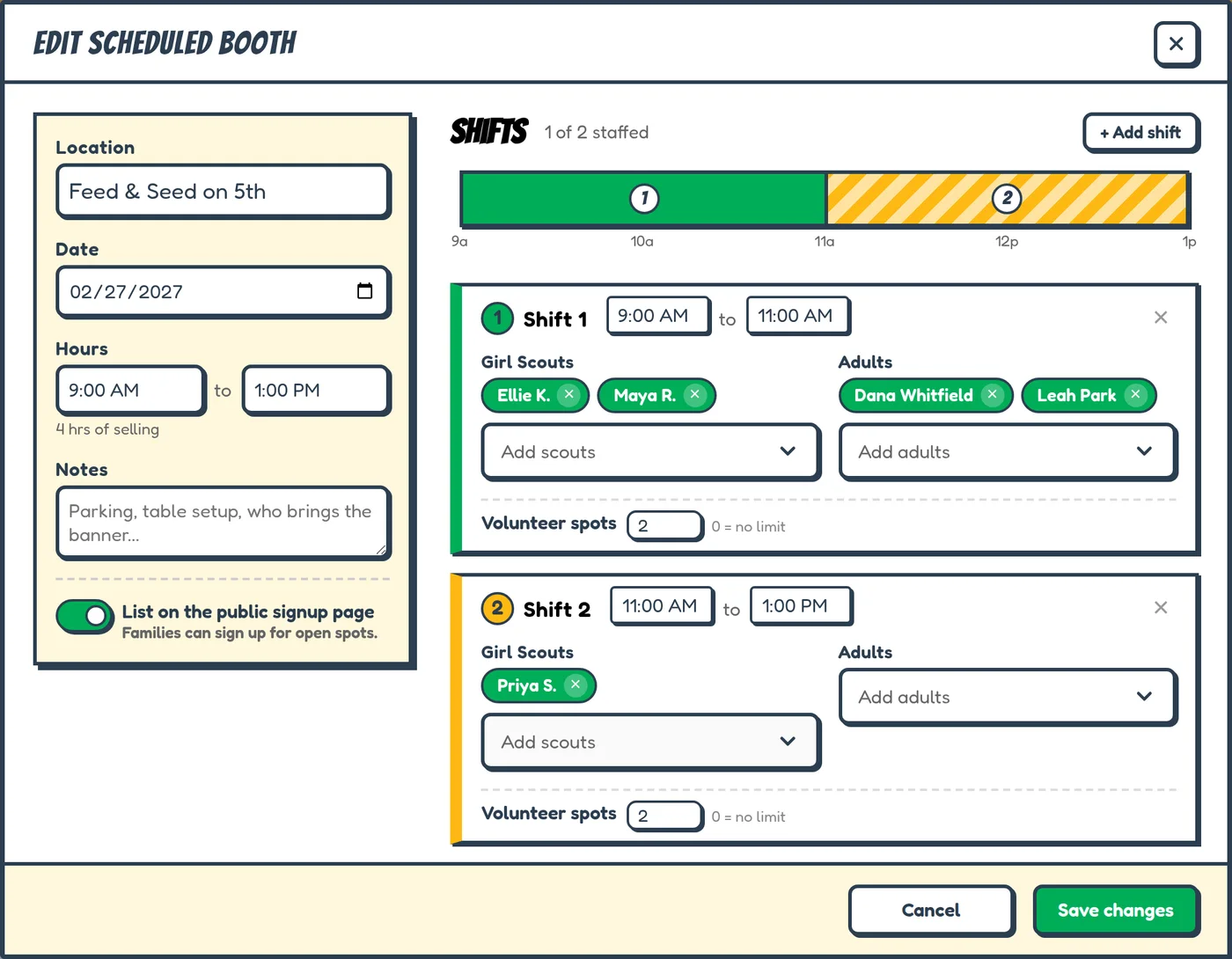
- Schedule the booth on the Booths page. Add the location, date and hours, then split it into shifts and assign scouts and adults.
- Start the booth. Check out the cookies you're taking and enter your starting cash.
- Close the booth. Enter what came back and the money you took in. Cookie Mom works out what sold and tells you if the money is over or short.
Each booth's summary shows what sold, the money, and how the sales split between the scouts who worked it.
Booth sign-ups
Parents can sign up for open booth shifts from a link. Turn on Family signups on the Booths page, where you'll also find the link to share. You can set how many adults each shift needs and stop sign-ups a set number of hours before a shift starts.
To keep a booth off the sign-up page, turn off List on the public signup page when you schedule it.
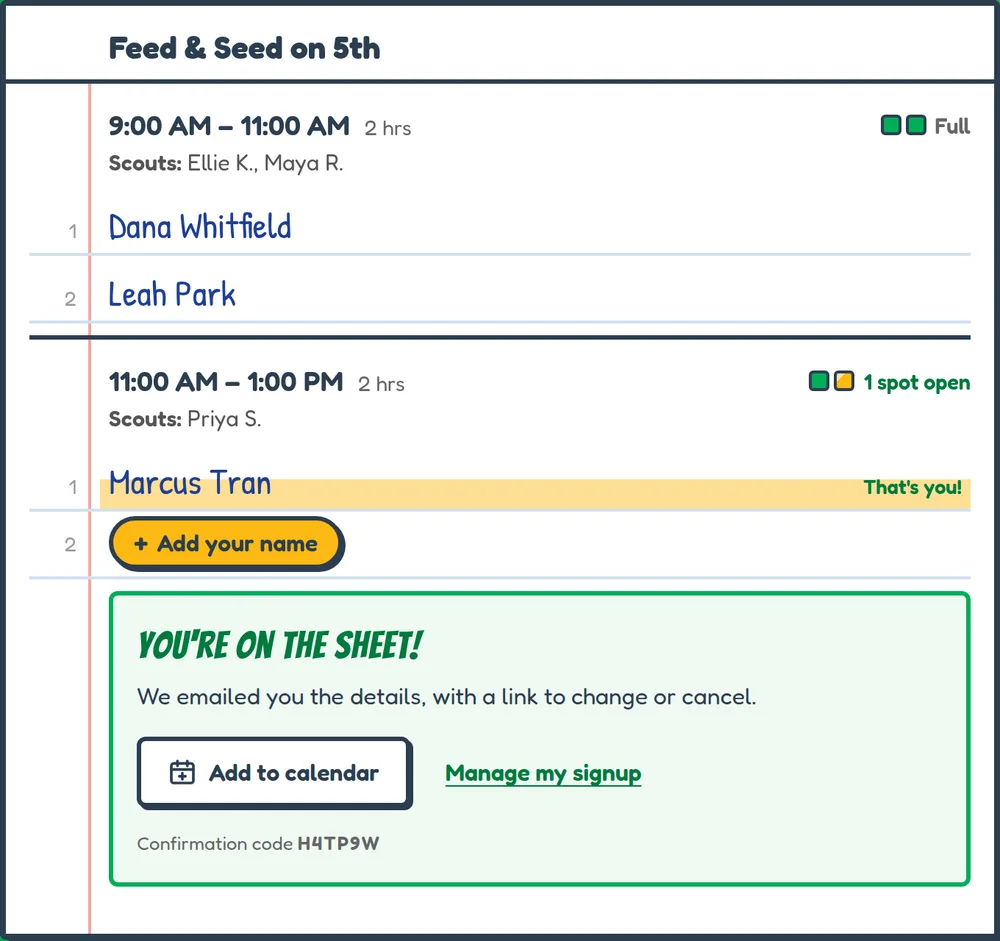
Parents pick a shift, choose their scout and add their name. They get a confirmation email with a link to cancel, and can add the shift to their calendar.
Pickups
- Turn on pickup booking on the Pickups page and set your hours: your weekly times, any days off, how long each slot is and how many families fit in one.
- Share your pickup link or its QR code with your troop.
- Parents book a time and choose their cookies. They don't need an account.
- Mark the pickup complete in your queue when they come.
Parents get a confirmation email with a link to change or cancel. You can also book or cancel a pickup for a family yourself.
Co-leaders
Invite co-leaders from Settings, under Invites. Each invite is a link, a code or a QR code, and it works for 7 days. There's no limit on co-leaders.
Everyone sees the same numbers, and changes show up for everyone right away. To take away someone's access, remove them in Settings, under Volunteers.
Cookies and bakeries
Both bakeries' cookies are built in. Pick yours when you set up your troop. To hide a cookie your troop isn't selling, turn it off in Settings, under Cookie lineup.
Little Brownie Bakers
Adventurefuls, Lemon-Ups, Trefoils, Do-si-dos, Samoas, Tagalongs, Thin Mints, Exploremores, Toffee-tastic
ABC Bakers
Thin Mints, Caramel deLites, Peanut Butter Patties, Peanut Butter Sandwich, Trefoils, Adventurefuls, Lemonades, Caramel Chocolate Chip, Exploremores
Cookie Mom uses $6.00 a box for every cookie.
No signal
You can keep working without a connection. Changes are saved on your phone and sync when you're back online. The badge at the top of the app shows whether everything has synced.
Adding or changing people on your roster is the one thing that needs a connection.
History and seasons
History lists everything your troop has done this season. You can search and filter it, print it, and export it or your inventory to a CSV file.
When the season is over, start a new one from Settings, under Season. Your inventory starts again at zero, and you can still look back at past seasons.
Cost
Cookie Mom is free for every troop. Every feature works without paying, and nothing expires.
It costs a little to run (email and servers). Once your first season is over, you can chip in $20 for a season from Settings, under Billing. It's one payment with a receipt for your troop's records, and it's optional.
For parents
You don't need an account. Use the link your troop sent you to book a pickup or sign up for a booth shift. To change or cancel, use the link in your confirmation email. For anything else, ask your troop's cookie manager.
Ready to try it?
Free for every troop. No credit card.
Get started